Learn what your ONT does, what should be connected to it, and how to troubleshoot it if there are no lights or the power cable is missing.
Your Optical Network Terminal (ONT), often called a fibre box, is the small device installed inside your home or business that connects your property to the fibre network. It works with your router to provide broadband to your devices, but the ONT and router are separate pieces of equipment.

What is an ONT?
An ONT is the device installed inside your property that connects your home or business to the fibre network.
You may also hear it called:
• ONT
• fibre box
• Optical Network Terminal
The ONT is an important part of your fibre connection. It acts as the link between the fibre network outside your property and the broadband equipment used inside your home or business.

Is an ONT the same as a router?
No. An ONT and a router do different jobs.
ONT / Fibre Box:
Connects your property to the fibre network.
Router:
Shares that connection with your devices, including Wi-Fi.
The ONT and router work together, but they are not the same device.


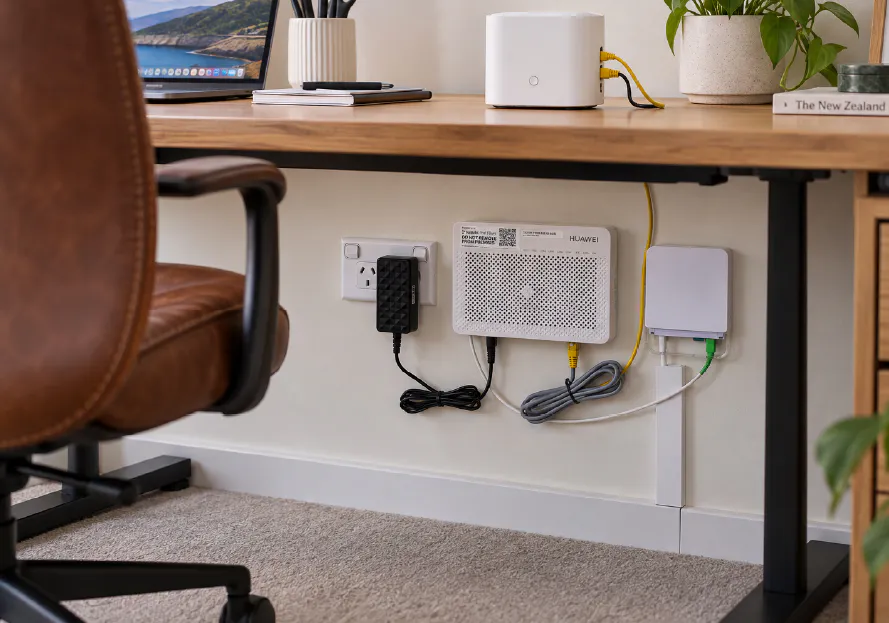
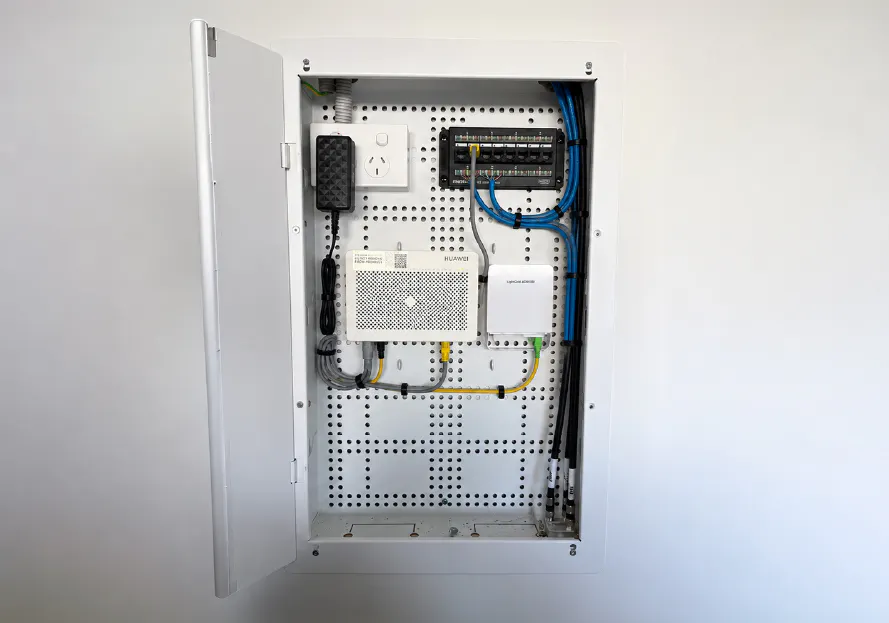


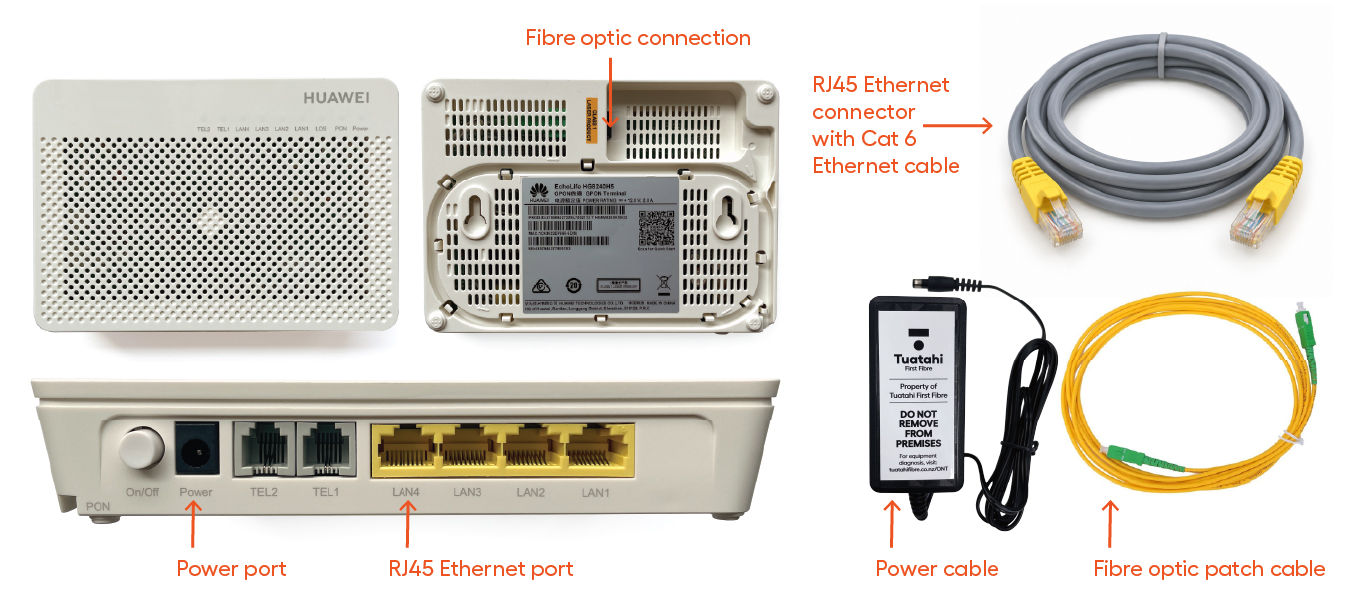
What should be connected to your ONT?
Your ONT usually has three main connections:
• Fibre connection which is installed by a technician and connected to the fibre network
• Power cable which is needed for the ONT to turn on
• Router cable which connects your ONT to your broadband router
The fibre cable should not be removed or tampered with.
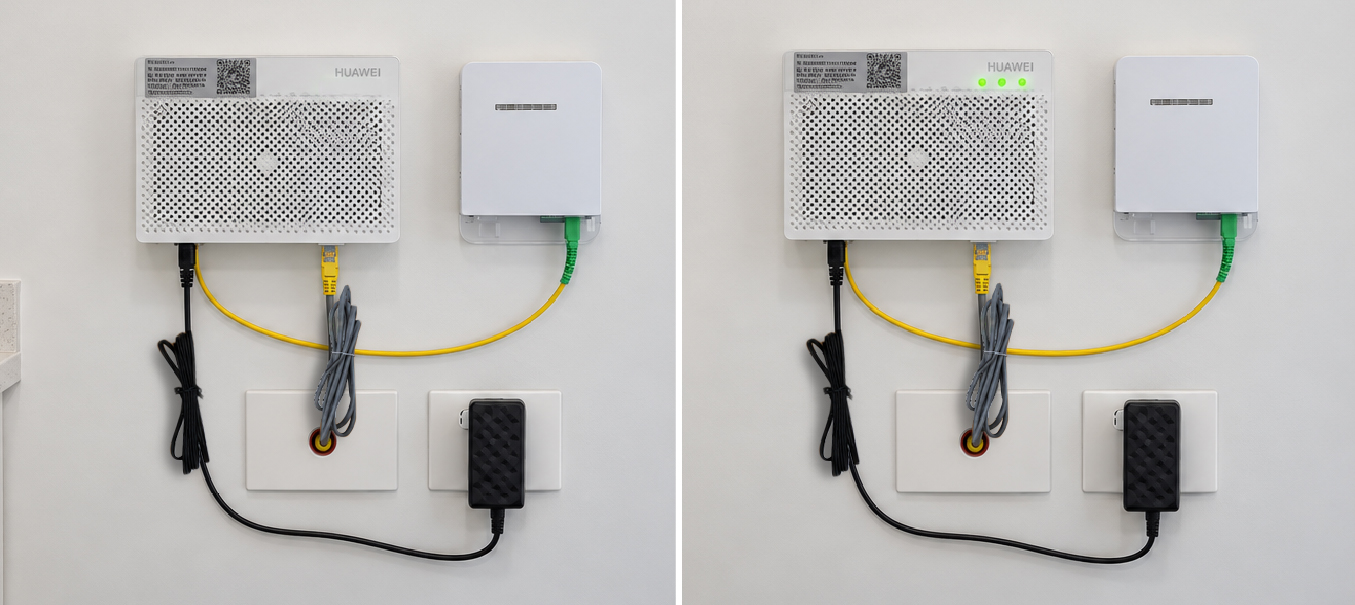
No lights on your ONT?
If your ONT has no lights showing, it usually means the ONT has no power.
Check the following:
Is the ONT power cable plugged in securely?
Is the wall power point switched on?
Is the power cable missing?
Are any lights showing on the ONT?
If there are no lights, focus on the power connection first.

Missing your ONT power cable?
If your ONT power cable or adaptor is missing, we can send you a replacement for free.
Request a free ONT power cable
Important
Do not use an unknown or unsuitable power adaptor with your ONT. Using the wrong power supply can damage the device.
Once the correct power cable is connected, the power light should turn on.

Can I unplug or move my ONT?
You should NOT remove, relocate, or repair your ONT yourself.
You can:
• Check that the power is on
• Check that the power cable is connected
• Check whether any lights are showing
If the ONT is damaged or needs to be moved, please get in touch first.
Need more help?
Get in touch with your Internet Service Provider (ISP) if:
- your ONT is damaged
- the fibre cable looks loose or damaged
- you are not sure what equipment you have
- you have moved in and something does not look right
- your ONT still has no lights after checking the power
Frequently asked questions
What is an ONT?
Is an ONT the same as a router?
Why does my ONT have no lights?
What should I do if my ONT power cable is missing?
Can I move my ONT?
Who supplies the router?